Click Joints: a free Blender add-on that cuts printable ball joints and shows how far they bend
A free Blender add-on that cuts ball or pin joints into a model for 3D printing and measures how far a ball joint can bend.
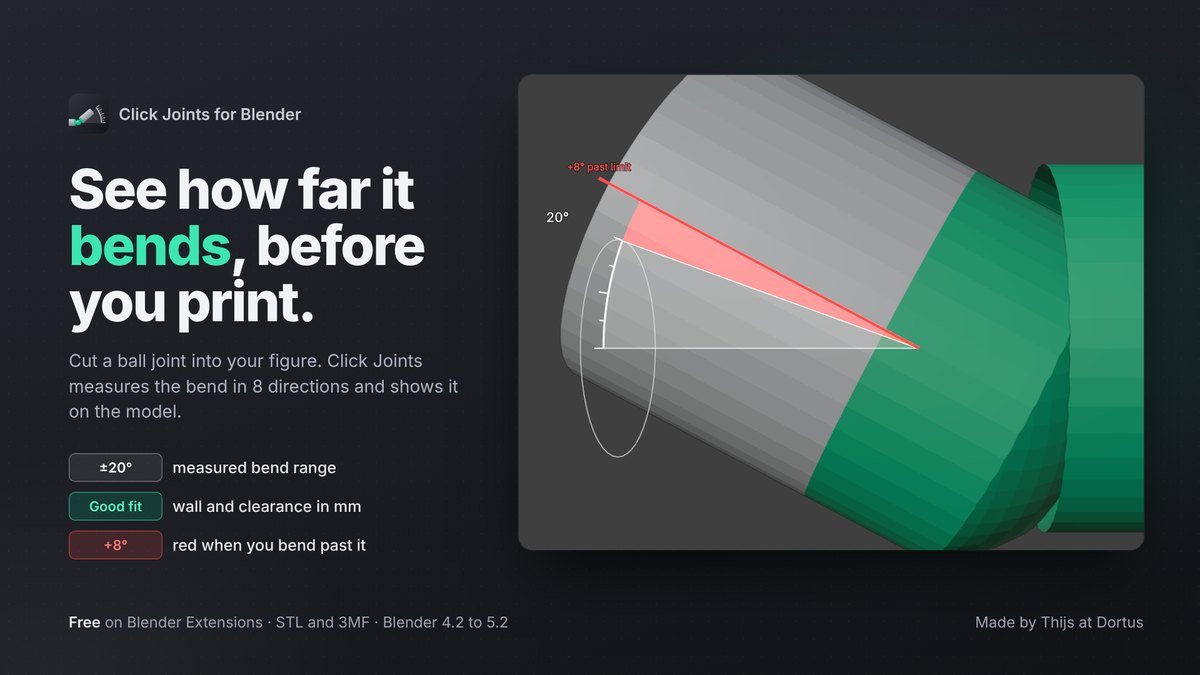
Click Joints cuts ball-and-socket or pin joints into a mesh for 3D printing, with the clearance set in millimetres. For ball joints it measures how far the joint bends in eight directions before the parts collide, marks a collision in red, warns when a wall is too thin and exports each part as STL or 3MF. It is free and open source (GPL-3.0-or-later), tested on Blender 4.2 LTS and 5.2 LTS, and listed on the Blender Extensions platform.
Why it mattersPosable printed figures without trial-and-error prints to find out whether a joint moves.
What is new
Click Joints is a free add-on for Blender, the free 3D program. It cuts a joint into a mesh (the triangle surface of a 3D model) so the parts can move once printed.
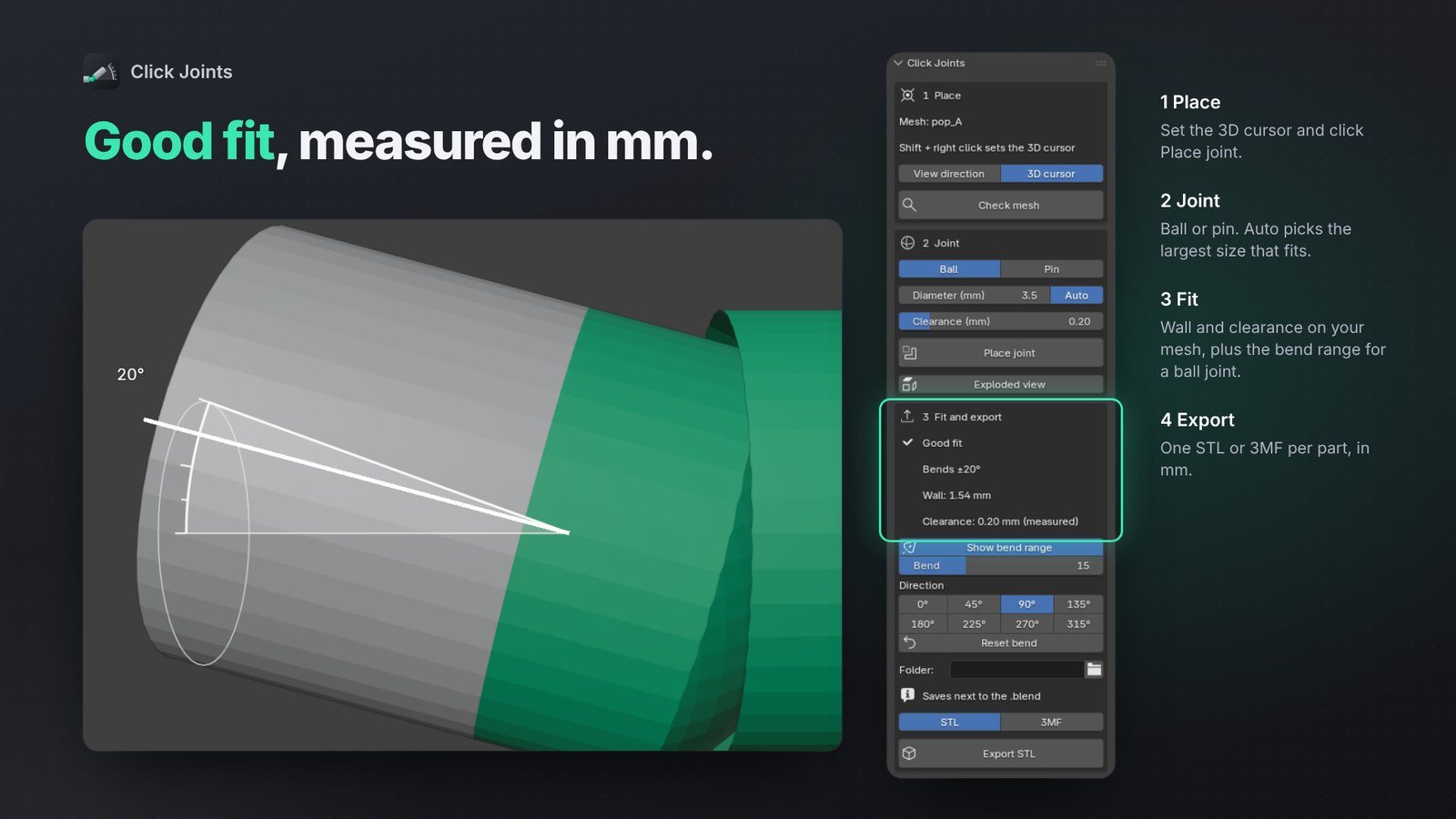
You place the 3D cursor where the joint should go and press Place joint. The add-on then splits the mesh into two parts that fit together, either a ball and socket or a pin and hole.
Version 0.1.1, released on 16 November 2026, fixed a bug where cutting one knee also cut through the other leg. It also added a message that refuses a cut when another part touches the limb being cut.
How it works
You type the clearance, which is the small gap between the two parts, in millimetres. The maker suggests 0.1 to 0.3 mm as typical.
- Auto size picks the largest ball that fits well, or says when none fits.
- A ring on the cut is green for a good fit, yellow when it is tight, and red when the wall is too thin or the cut breaks through the surface.
- For ball joints, the panel shows the bend range in eight directions. When the joint bends past that range, the spot where the parts would hit turns red.
- Exploded view pulls the two parts apart. The exported files keep the assembled positions.
- Export writes STL or 3MF files, one file per part, in millimetres.
Limits
The maker had not printed a joint with the add-on when the BlenderNation article was written, so the fit and bend results have only been checked inside Blender so far.
Version 0.1.1 cuts only the limb at the 3D cursor on a one-piece figure. Other parts stay whole. The bend range is described only for ball joints.
Price and availability
Click Joints is free and open source under the GPL-3.0-or-later licence. It is listed on the Blender Extensions platform, where the download is about 44 KB. The file installs by drag and drop into Blender, or with Install from Disk in Blender's preferences. Problems are reported through GitHub issues on the click-joints repository.