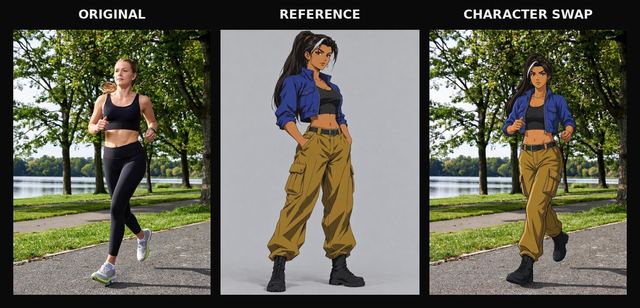
Viggle character motion transfer in ComfyUI on a 6 GB GPU
A community ComfyUI workflow moves the motion of a video onto a still character, and its author says it runs on a 6 GB graphics card.
A community workflow moves the motion from a video onto any character picture, using an INT8 ConvRot build of the Viggle model or a LoRA that puts MiniMax H3 Ref2V into Viggle mode. A Qwen VL step writes the prompt from the video, and RelayVSR upscales the 480p or 720p result. Its author reports about 20 minutes for a 5-second 480p clip.
Why it mattersCharacter motion transfer on an entry-level graphics card.
What is reported
A community workflow for ComfyUI takes the motion from a video and applies it to any character picture. It can use an INT8 build of the Viggle model, or a LoRA (a small add-on file that changes how a model behaves) that puts MiniMax H3 Ref2V into Viggle mode. A Qwen VL step, a vision-language model, writes the prompt from the video. RelayVSR then upscales the 480p or 720p result.
The author reports about 20 minutes for a 5-second 480p clip and says the setup fits a 6 GB graphics card. These figures are the author's own and the sources could not be opened to check them.