Blender on tablets: the developers' path to release for iPad and Android
Blender's developers have published their plan for Android and iOS tablets, starting with high-end models and a keyboard and mouse.
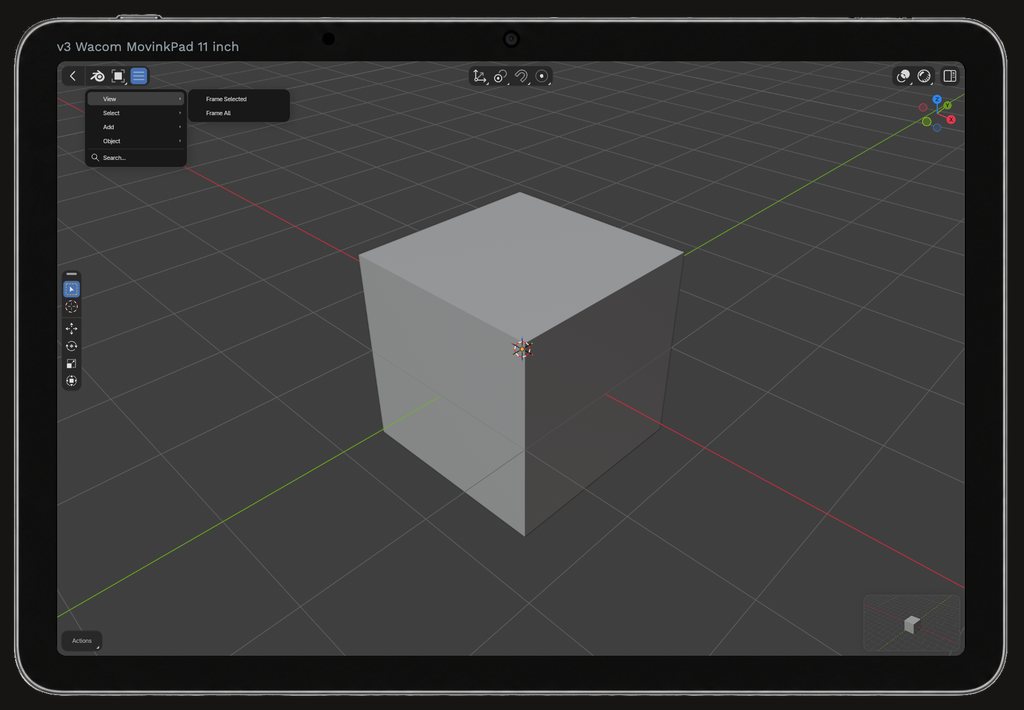
Blender's developers published their plan for tablet versions on Android and iOS, aimed first at high-end Android tablets such as the Wacom MovinkPad Pro and recent M-series iPad Pro or iPad mini models. Touch and pen input mostly works already. Still to come are daily tablet builds, test releases to the app stores, a compact UI and touch tools such as an on-screen keyboard and a modifier wheel. At first the tablet version will need a keyboard and a mouse or trackpad to be fully usable. No release date is given.
Why it mattersFull Blender on a tablet would let artists sculpt, paint and review away from the desk.
Which tablets come first
The first target is high-end Android tablets, such as the Wacom MovinkPad Pro, and recent iPad Pro models and iPad mini models. The developers say other tablets may run Blender too, but with glitches or slow performance at first.
Touch and pen input already work in most places, according to the post. The developers say this part still needs polishing. Full touch and pen gesture support is due later.
What is still to come
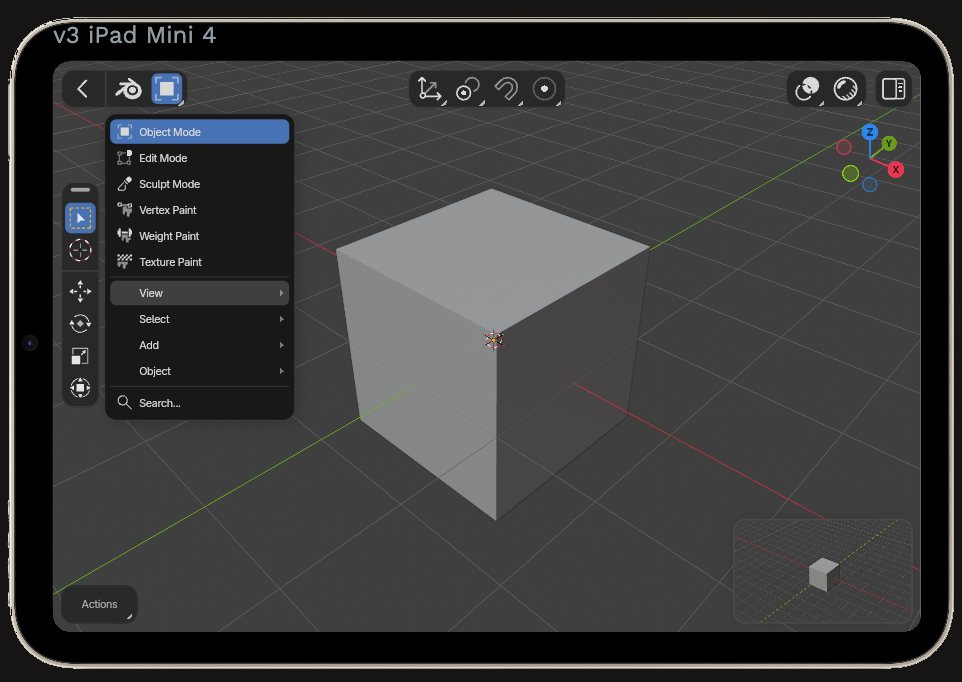
The post lists work that is planned but not yet delivered. The developers want daily tablet builds, and builds that are rolled out to app stores such as Google Play and the App Store. They also want test releases to the stores, so a public release can be made later at their choice.
The interface work includes a compact layout for touch use, search for operators from the top level, and a radial menu for Ctrl, Shift and Alt keys. A way to send a file to another device and continue work there is also planned.
- On-screen keyboard, mostly using the system's own keyboard
- Floating modifier wheel for Ctrl, Shift and Alt or Option
- Compact UI for Sculpting, Scene Assembly, Portfolio Review, Storyboarding and Asset Creation
- Continue on device and Send to device, to move work between a tablet and a desktop
What you need and when
At first a tablet will only be fully usable with a keyboard, mouse or trackpad connected. The post gives no release date. It says the goal is to ship as early as possible and add each use case once it is ready.
Not every workspace will be made for touch at first, but the full desktop interface will stay available. The post says the licence question is outside its scope. It notes that app stores have rules about GPL-licensed apps, and that the Blender Foundation will look at other options when needed.