Sume Director Studio 1.0: a Higgsfield Cinema Studio rival with no subscription
Sume's Director Studio 1.0 is a shot-directing video tool that the company compares with Higgsfield's Cinema Studio. The pricing claims are not confirmed.

Sume launched Director Studio 1.0 with the same kind of directing workflow as Higgsfield's Cinema Studio, priced at Seedance's own cost and with no subscription. It is open to all users.
Why it mattersPay-per-use pricing for shot-directing tools.
What is new
Director Studio 1.0 is a video tool from Sume that lets a user direct a shot with camera, film style, colour and lighting settings. Sume's launch post on X could not be opened. The news item says the tool keeps the same kind of directing workflow as Higgsfield's Cinema Studio, and that it is priced at Seedance's own cost with no subscription, and open to all users.
Sume's own product page does not confirm the cost or subscription claims. It shows an upgrade button starting at $5, but it does not say whether a subscription is needed or what a clip costs.
What the page shows
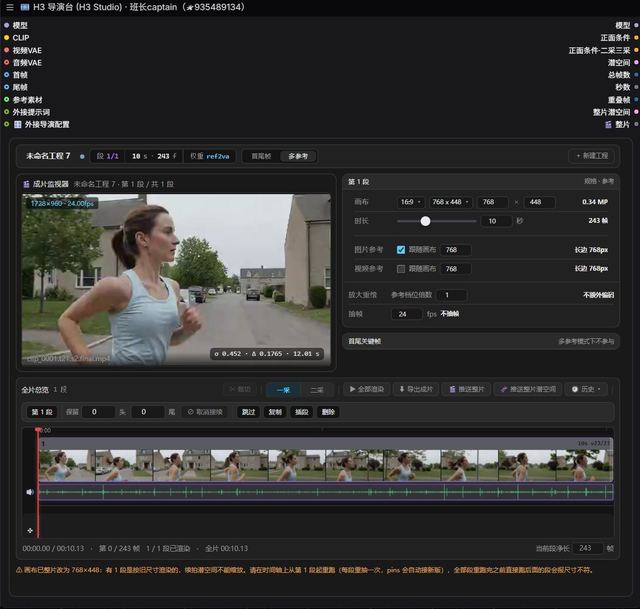
The page shows the controls for each generation. A user can choose Image or Video mode and add up to 50 references. Camera movement, film style, colour palette and lighting are each set to Auto by default. A batch size selector is set to 1 of 4, and there is a My elements area for saved items.
- Output settings shown: 720p, 16:9 and 5-second clips, with sound on
- A model option called Director Studio 1.0. The page does not name the model underneath, and does not mention Seedance
Price and availability
The page shows a generation counter at 0, but no price per second or per credit. It does not say who can use the tool or give a launch date. Whether the tool is open to all users is not confirmed by the page.