Mat-Baker: a free Blender add-on that bakes procedural materials to PBR maps
Mat-Baker 1.2.0 is a free Blender add-on that turns a procedural material into a set of texture map files for game and real-time engines.
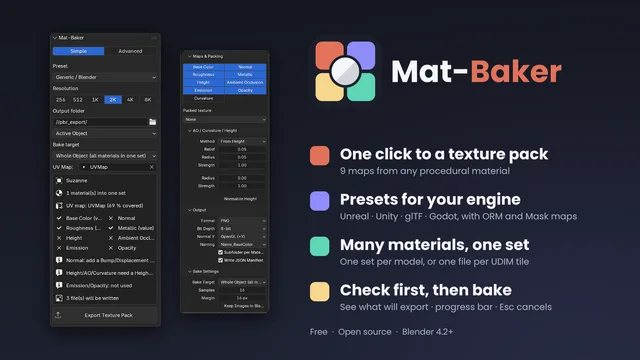
Mat-Baker detects which texture maps a material's node setup can produce and bakes and exports them as a PBR texture set, without configuring each map by hand. An Advanced Mode adds manual control.
Why it mattersProcedural materials become game-ready textures in one step.
What it does
A procedural material is built from nodes in Blender, not from image files. Mat-Baker reads the node network that feeds the Principled BSDF, works out which maps that network can produce, and writes those maps to a folder you choose. The add-on's listing says you do not have to set each map by hand.
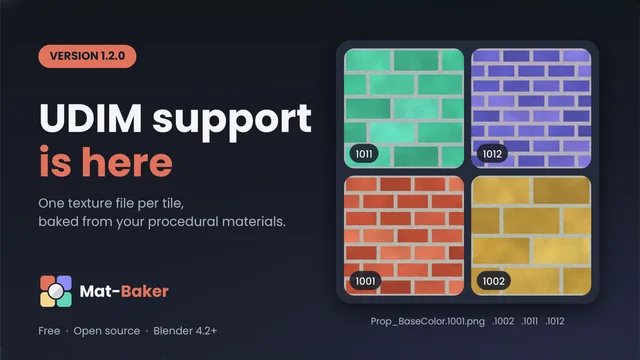
Version 1.2.0 adds UDIM support. A UDIM set has one texture file for each UV tile, which is the usual format for large or detailed models. In Whole Object mode, the add-on writes one file per tile.
- Maps: Base Color, Normal, Roughness, Metallic, Height, Ambient Occlusion, Emission, Opacity and Curvature
- Packed textures: ORM, Unity HDRP Mask map and Unity Metallic-Smoothness
- Presets for Unreal Engine, Unity URP and Built-in, Unity HDRP, glTF, Godot and Three.js
- Formats: PNG, TIFF and OpenEXR, at 8, 16 or 32 bits, with OpenGL or DirectX normals
Simple and Advanced modes
Simple mode picks a preset and a resolution, then bakes with one button. Advanced mode lets you choose the maps, the packing, the bit depth and the bake target, and sets the Cycles samples. A pre-flight checklist shows what will be written before the bake starts, and Esc cancels a running bake.
Limits listed by the maker
The listing gives several limits. The Principled BSDF must sit at the top level of the material, not inside a node group. Normal, Height, AO and Curvature need a Displacement or Bump node with a connected Height input. AO and Curvature taken from a height map are approximations. With UDIM, Curvature and Normalize Height are not available. Mat-Baker keeps a tileable input tileable, but it does not make a material tileable.